PoE Power Budget Calculator for Security Camera Systems
Use a practical PoE power budget calculator for security cameras: total device load, port limits, headroom and checks for 120W, 300W and 400W switches.
By Maxsol Team

A PoE power budget for security cameras is calculated by adding the maximum operating power required by every PoE device that may run at the same time, then allowing headroom before comparing the result with the switch’s documented total PoE budget. You must also confirm that each individual port can supply the power and IEEE standard required by the connected camera.
A switch can have enough total watts for all cameras but still fail the design if one high-power camera exceeds its port limit. Conversely, a suitable port may not help if the combined demand of all cameras, wireless devices and accessories exceeds the switch budget. Use the calculation below before selecting equipment or installing cabling.
Collect each device power requirement
Start with the manufacturer’s stated maximum power draw for every powered device (PD), not its typical or idle consumption. A security camera may draw more power when infrared LEDs activate, a heater starts, a motorised lens moves, or pan-tilt-zoom functions operate. The value needed for planning is the highest load that can reasonably occur during operation.
Include every PoE-powered item, not just cameras:
- Fixed IP cameras
- PTZ cameras
- Infrared or low-light cameras
- Door stations and intercoms
- Wireless access points
- Point-to-point CPE devices
- PoE extenders or media converters
- Network controllers or other endpoint devices powered from the same switch
Create a worksheet before using any PoE power budget calculator for cameras.
| Device or group | Quantity | Maximum power per device | Simultaneous quantity | Power subtotal |
|---|---|---|---|---|
| Camera type A | ||||
| Camera type B | ||||
| PTZ or high-power camera | ||||
| Wireless or access-control device | ||||
| Total simultaneous load | W |
Use the specification sheet for the exact camera variant, including its lens, illuminator, heater and mounting accessories where applicable. Two cameras in the same product family can have different power requirements.
Use maximum demand, not a convenient average
Average readings from a basic plug meter or network dashboard can be useful for troubleshooting, but they are not enough for initial switch sizing. A camera that normally uses little power can increase its draw after dark, during rain, or when an IR illuminator and heater operate.
For a reliable design:
- Record the published maximum power input of each endpoint.
- Identify devices whose peak load can overlap.
- Use the highest credible simultaneous load.
- Add spare capacity for future additions and operating variation.
If a camera lists both a PoE input requirement and a separate DC input requirement, use the PoE figure when the camera will be powered through Ethernet. If the documentation is unclear, confirm the required PoE class and maximum input wattage with the device supplier before finalising the design.
Separate per-port limits from total budget
A PoE switch has two different power limits that must both be met.
Per-port power limit is the maximum wattage one PoE port can deliver. This determines whether a single endpoint, such as a PTZ camera, can operate from that port.
Total PoE budget is the total power available across all PoE ports at once. This determines how many devices the switch can support simultaneously.
The camera must also be compatible with the switch port’s supported IEEE PoE standard. The common standards are:
| Standard | Common name | General design use |
|---|---|---|
| IEEE 802.3af | PoE | Lower-power endpoints |
| IEEE 802.3at | PoE+ | Higher-power cameras and network devices |
| IEEE 802.3bt | PoE++ | Higher-power equipment, depending on the port implementation |
Do not assume that support for a newer standard applies to every port. Check the documentation for the exact port range.
For example, the PS1802G has a 120W total PoE budget, while ports 7–8 support IEEE 802.3bt up to 60W per port. That means a high-power endpoint may need to be assigned to one of those specific ports, even when the switch still has unused PoE ports elsewhere.
The PS11602G has a 300W internal power supply, and its documented ports 1–8 support IEEE 802.3af/at up to 30W per port. A 300W internal power supply should not automatically be treated as a 300W usable PoE budget; verify the product documentation for the switch’s stated total PoE allocation and any power reserved for the switch itself.
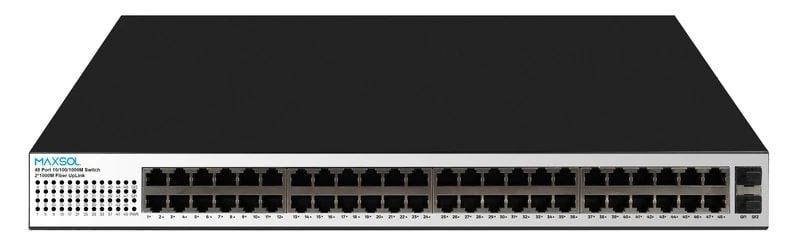
For larger deployments, the PS14802SFG has a 400W total PoE budget, with ports 1–48 documented to support IEEE 802.3af/at up to 30W per port. Its total budget remains a shared limit: multiplying 48 ports by 30W would not be an appropriate available-power calculation.
Account for cable length and voltage drop
Ethernet cable length and quality matter. Under PoE standards, a cable run can introduce power loss, so power available at the camera is lower than power supplied at the switch. Longer runs, poor-quality cable, damaged terminations and non-compliant conductors can make a marginal power design unstable.
For site work in the Philippines, particularly on outdoor perimeter or building-to-gate installations, check cable routes carefully. Long runs through conduits, outdoor enclosures and guardhouse connections may require better cable planning than a short indoor installation.
Follow these practices:
- Use cable appropriate for PoE and the intended installation environment.
- Keep permanent links within the applicable Ethernet channel limits.
- Avoid unknown copper-clad aluminium cable for PoE camera circuits.
- Terminate and test every cable run.
- Do not rely on a power design with only a few watts of unexplained margin.
- Confirm whether an extender, surge protection device or intermediate equipment changes the power calculation.
Add simultaneous load and headroom
The core calculation is straightforward:
Total simultaneous PoE load = sum of (maximum device power × number of simultaneously active devices)
Then add design headroom:
Required switch PoE budget = total simultaneous PoE load × (1 + headroom percentage)
A practical starting point is often 20% to 30% headroom. The right margin depends on the design. Choose more headroom where loads can change after dark, outdoor conditions are demanding, future cameras are planned, or the switch will also power wireless and access-control equipment.
For example, if your device worksheet totals 150W at maximum simultaneous operation:
- At 20% headroom: 150W × 1.20 = 180W
- At 30% headroom: 150W × 1.30 = 195W
Your selected switch should have a documented total PoE budget at or above the calculated requirement. Every connected device must separately fit within the limit of its assigned port.
When simultaneous load is lower than installed load
Some systems include devices that are not expected to peak at the same moment. For instance, selected loads may be scheduled or used only during maintenance. You may calculate a lower simultaneous load only when that operating condition is controlled and documented.
For surveillance systems, be conservative. Night-time IR activation across many cameras is often simultaneous, and security events can cause multiple PTZ cameras or illuminators to operate together. If an event can make several devices reach their maximum load at once, include all of them in the simultaneous-load total.
Do not base the design on the assumption that “not all cameras will use full power.” That may be true most of the time, but power budgets must cover the conditions under which the system still needs to work.
Work through a neutral calculation method
Use this repeatable method for any PoE switch and camera combination.
Step 1: List powered endpoints by type
Group devices with the same verified maximum PoE requirement. For each group, note the number of devices that can run at the same time.
Example worksheet format:
| Endpoint group | Simultaneous quantity | Verified maximum PoE requirement | Subtotal |
|---|---|---|---|
| Fixed cameras | A | B W | A × B W |
| PTZ cameras | C | D W | C × D W |
| Wireless devices | E | F W | E × F W |
| Other PoE endpoints | G | H W | G × H W |
| Total | T W |
Step 2: Check the standard and port limit for each endpoint
For each device, confirm:
- Required PoE standard: 802.3af, 802.3at or 802.3bt
- Maximum input power
- Port wattage limit on the planned switch port
- Whether only specific switch ports support the required standard
- Any requirement for a PoE injector, local power supply or separate high-power switch
A device requiring more than the selected port can provide is incompatible with that port, even if the total switch budget is very large.
Step 3: Add all simultaneous subtotals
Add the device group subtotals to find T, the maximum simultaneous PoE demand.
Do not include devices with separate mains or DC power supplies in the PoE total. However, make sure their power source is included in the wider site power design.
Step 4: Apply headroom
Choose a headroom factor, such as 1.20 for 20% or 1.30 for 30%.
Required budget = T × headroom factor
Round up rather than down. The spare capacity is not wasted; it supports dependable operation, later expansion and minor changes to the equipment mix.
Step 5: Compare against the documented switch budget
The design passes only when both conditions are true:
- Required switch budget ≤ documented total PoE budget
- Each endpoint requirement ≤ its assigned port’s power and standard capability
If either condition fails, choose a switch with more available PoE power, reduce the number of devices on that switch, add another switch, or supply the incompatible endpoint separately.
Compare 120W, 300W and 400W examples
The following comparison uses the documented switch values as selection references. The load totals are neutral planning examples only; they are not assumptions about camera consumption.
| Planning case | Calculated simultaneous device load | Headroom used | Required budget | Result to assess |
|---|---|---|---|---|
| Small system | 84W | 25% | 105W | Below 120W, subject to per-port and standard checks |
| Medium system | 215W | 25% | 268.75W | Requires confirmation of the switch’s documented total PoE budget |
| Larger system | 320W | 25% | 400W | Uses the entire 400W budget; additional headroom is needed for a more flexible design |
120W total PoE budget example
An 84W simultaneous device load needs 105W after adding 25% headroom. On budget alone, this fits within a 120W total PoE allocation.
The Maxsol 120W PoE switch is relevant for this type of calculation because the PS1802G has a 120W total PoE budget. However, the calculation is not complete until you check each port assignment. Ports 7–8 support IEEE 802.3bt up to 60W per port, so any endpoint requiring that capability must be planned for one of those ports.
A 105W requirement leaves only 15W below the stated 120W budget. That may be acceptable for a fixed, fully documented load, but it offers limited room for expansion or uncertainty. A design with more spare capacity can be easier to maintain and modify.
300W internal power supply example
A medium installation with a calculated requirement of 268.75W cannot be approved merely because a switch has a 300W internal power supply. Internal power supply capacity and stated PoE budget are related but are not automatically identical.
For the Maxsol PS11602G 16-port PoE switch, the documented information states a 300W internal power supply and IEEE 802.3af/at support up to 30W per port on ports 1–8. Before specifying it for a 268.75W required load, confirm its documented total PoE budget, as well as the planned number of powered ports.
This illustrates an important procurement rule: request the exact total PoE budget rather than relying on a power-supply label or multiplying the rated wattage by the number of ports.
400W total PoE budget example
A 320W simultaneous load becomes exactly 400W after a 25% allowance. The Maxsol PS14802SFG 400W PoE budget switch has a documented 400W total PoE budget, and ports 1–48 support IEEE 802.3af/at up to 30W per port.
Although the calculation equals the stated budget, it is not an ideal final design because no remaining capacity is available. If the actual device load rises, a camera is replaced with a higher-power version, or additional equipment is added, the budget can be exceeded. Consider a larger power allocation, split the devices between switches, or reduce the planned operating load only where that limitation is deliberate and verifiable.
Recheck the design before installation
Run one final review after selecting the camera models, switch and cable routes. Small substitutions during procurement can materially change the power requirement.
Pre-installation PoE budget checklist
- Maximum PoE requirement recorded for every endpoint
- Simultaneous operation considered, including night-time and alarm conditions
- Correct IEEE PoE standard confirmed for every device
- Every camera assigned to a port with sufficient wattage
- Total simultaneous load plus headroom is within the documented switch budget
- Specific high-power ports identified where applicable
- Cable type, length and terminations suitable for PoE
- PoE extenders, surge protection and intermediate devices included in the design review
- Spare power and ports retained for planned expansion
- Site power continuity requirements considered separately from the PoE budget
Common PoE sizing mistakes
Multiplying port count by port wattage. A switch with many 30W ports does not necessarily have enough total budget to supply 30W on every port simultaneously.
Using typical camera consumption. Typical draw can hide peak loads from IR, heaters, PTZ movement or other functions.
Ignoring non-camera endpoints. An access point, door station or wireless bridge powered from the same switch consumes part of the shared budget.
Treating a power supply rating as the PoE budget. Always use the switch’s explicitly documented total PoE budget.
Forgetting port-specific capability. A high-power device may work only on certain ports, even on a switch with adequate overall wattage.
Leaving no growth margin. A system that exactly matches the budget can become overloaded after a simple device replacement or expansion.
Final selection approach
Choose the switch based first on the verified maximum simultaneous device load, then add realistic headroom. Next, confirm port count, per-port wattage, IEEE standard, cable distance, uplink needs, power resilience and the physical environment of the installation.
Compare the linked Maxsol models against your required port count, calculated load, cable distance, site power arrangement, environmental conditions and management requirements before making a final specification.