90W PoE++ 802.3bt Switch Guide for Philippine Projects
Find out when a 90W PoE++ 802.3bt switch is needed. Compare PoE classes, port power, cabling, input supply and deployment options.
By Maxsol Team

A 90W PoE++ 802.3bt switch is needed when one or more powered devices require more power than standard PoE+ can deliver, or when the installation must support higher-power equipment over a single Ethernet cable. Typical examples include PTZ cameras with heaters or illuminators, multi-sensor cameras, high-output wireless access points, and certain networked control devices.
However, “90W per port” should not be treated as a guaranteed 90W at every connected device. The switch port’s maximum output, the powered device’s negotiated PoE class, cable length and condition, and the switch’s total PoE budget all affect the usable result. Start with the device’s stated power requirement, then verify whether the required ports support IEEE 802.3bt and whether the site power supply can carry the combined load.
PoE classes in practical terms
PoE sends DC power and data through Ethernet cabling, reducing the need for a separate power outlet beside every camera, access point, or network device. The relevant choice is not simply “the newest standard”; it is the class that safely meets the powered device’s demand with room for cable loss and operating peaks.
| PoE standard | Common name | Typical maximum at switch port | Approximate maximum at device | Suitable for |
|---|---|---|---|---|
| IEEE 802.3af | PoE | 15.4W | 12.95W | Basic IP cameras, VoIP phones, simple sensors |
| IEEE 802.3at | PoE+ | 30W | 25.5W | Many fixed cameras, standard access points, intercoms |
| IEEE 802.3bt Type 3 | PoE++ | 60W | 51W | Higher-power APs, advanced cameras, some compact controllers |
| IEEE 802.3bt Type 4 | 90W PoE++ | 90W | 71W | Demanding PTZ cameras, cameras with heaters, high-power wireless and specialised devices |
The difference between power at the switch and power at the device is important. Power is lost along the cable, particularly on longer runs, poor-quality copper, damaged connectors, or cables with unsuitable conductor sizes. A device that needs 60W at its input may require a switch port capable of delivering more than 60W.
A 90W PoE++ 802.3bt switch can still power lower-demand IEEE 802.3af or 802.3at equipment where standards negotiation is supported. That can simplify mixed CCTV and wireless installations, but it does not mean every port needs 90W capability. Reserve high-power ports for the devices that actually require them.
Do not choose based on camera type alone
“PTZ camera” is not automatically a 90W PoE++ device. A compact indoor PTZ may run on PoE+, while an outdoor PTZ with infrared lighting, a heater, wiper, or powerful zoom mechanism may have a substantially higher peak demand. Always check:
- The device’s stated PoE standard and class
- Its normal and maximum power draw
- Whether its quoted power includes heater, fan, IR, illuminator, and motor operation
- Whether an external power source is required for particular functions
- The manufacturer’s cable distance and category requirements
For project specifications in the Philippines, this step is especially useful for outdoor sites. Equipment that appears to operate normally in daytime conditions can draw more power during rain, lower temperatures, or night operation when infrared and heating functions activate.
When higher-power devices need 802.3bt
Use IEEE 802.3bt when the device’s maximum demand exceeds what PoE+ can reliably provide, or when the device manufacturer specifically requires 802.3bt. A design based only on average consumption can fail when the device enters a high-load mode.
Devices that may justify 802.3bt include:
- Outdoor PTZ cameras with heaters, blowers, wipers, or integrated IR illumination
- Multi-directional or multi-sensor cameras with several imaging modules
- High-performance Wi-Fi access points with multiple radios and USB-powered accessories
- Outdoor wireless equipment with integrated radios and auxiliary functions
- Access-control panels or building devices with higher transient loads
- Compact networked equipment that consolidates multiple functions in one enclosure
Assess peak load, not only nominal consumption
Suppose a camera is listed at 22W in regular use but reaches 48W when its heater and IR system are active. A 30W PoE+ port is not an appropriate choice even if daytime testing seems successful. In this case, specify a port and power budget that accommodate the maximum operating condition.
Similarly, a device advertised as “PoE++ ready” may not consume 90W. It simply has the option to use a higher-power supply. Select the switch based on the actual requirement, rather than using Type 4 ports across the entire project without a load plan.
Higher port power does not solve every power issue
802.3bt does not correct these common installation problems:
- An under-rated DC input supply feeding the switch
- Excessive cable length or poor cable quality
- Copper-clad aluminium (CCA) cable used for PoE runs
- Loose RJ45 terminations or corroded outdoor connections
- An insufficient total PoE budget across multiple ports
- A device that requires a proprietary power method rather than standards-based PoE
When a device needs a non-standard injector, passive PoE voltage, or separate AC/DC adaptor, do not assume a standards-based 90W PoE++ port is compatible. Confirm the device documentation first.
Verify ports, pins, cable and input supply
A correct 802.3bt design checks the complete power path: the switch port, Ethernet cable, connectors, powered device, and switch input source. A high-power switch alone cannot guarantee high-power operation at the endpoint.
Confirm which ports provide 90W
Many switches offer 802.3bt only on selected ports, with 802.3af/at on the remaining ports. This is practical for mixed installations, but it makes port assignment part of the design.
Before installation, make a port schedule. Mark each endpoint’s required PoE level and reserve the high-power ports for the loads that need them. Do not connect a 90W-class device to an ordinary PoE+ port simply because it is physically available.
Understand two-pair and four-pair power delivery
Traditional PoE and PoE+ use two twisted pairs for power delivery. IEEE 802.3bt uses all four pairs, allowing higher output without forcing excessive current through only two pairs.
This makes all-pair continuity critical. A cable may pass basic data testing and still fail to deliver 802.3bt properly if one or more pairs are open, crossed, poorly terminated, or degraded. Test all pairs from end to end after pulling and terminating the cable.
Use suitable copper cabling
For high-power PoE, use solid copper Ethernet cable appropriate for the installed route and environment. Cat5e is commonly used as a baseline for Gigabit Ethernet and PoE applications, but the device and switch documentation should determine the final cable requirement.
Avoid CCA cable for powered links. Its higher resistance can increase voltage drop and heat, which reduces available power and creates a less reliable installation.
Also verify:
- Total channel length, including patch leads
- Cable conductor quality and gauge
- RJ45 plug and jack condition
- Patch-panel and surge-protection compatibility
- Outdoor cable UV resistance where exposed
- Water protection and grounding approach for external equipment
Size the switch input supply for the full installation
The upstream power source must support the switch’s own consumption plus the combined PoE load, with allowance for conversion losses and design headroom. This is particularly important for DIN-rail panels, outdoor cabinets, battery-backed systems, and solar-powered sites.
For example, a switch with two 90W-capable ports may not necessarily have enough total input power to supply two devices at their maximum draw plus several PoE+ devices. The switch’s stated total PoE budget and required input voltage range are the figures to verify.
For solar or battery systems, calculate against the lowest expected battery voltage and the maximum anticipated endpoint load. Also account for other cabinet equipment, such as routers, media converters, fans, lighting controls, and monitoring devices.
Compare 4-port and 8-port managed options
Port count should match both today’s endpoint total and the realistic expansion plan. A four-port switch can reduce panel size and simplify a small deployment. An eight-port model is often more suitable where several cameras, access points, or future additions are expected.
The following Maxsol industrial models have documented 90W support on designated ports. Confirm the full product documentation, including input supply requirements, total PoE budget, environmental limits, and management functions, before final specification.
| Model | Downlink PoE ports | Uplinks | Documented high-power ports | Best planning fit |
|---|---|---|---|---|
| PS2402SFG-I-BT | 4 Gigabit PoE ports | 2 SFP ports | Ports 1–2 support IEEE 802.3bt up to 90W; ports 1–4 support 802.3af/at | Small cabinet or field panel with one or two high-power endpoints |
| PS2802SFG-I-BT | 8 Gigabit PoE ports | 2 SFP ports | Ports 1–2 support IEEE 802.3bt up to 90W; ports 1–8 support 802.3af/at | Larger camera, wireless, or mixed-endpoint deployment |
Select a four-port model for focused high-power loads
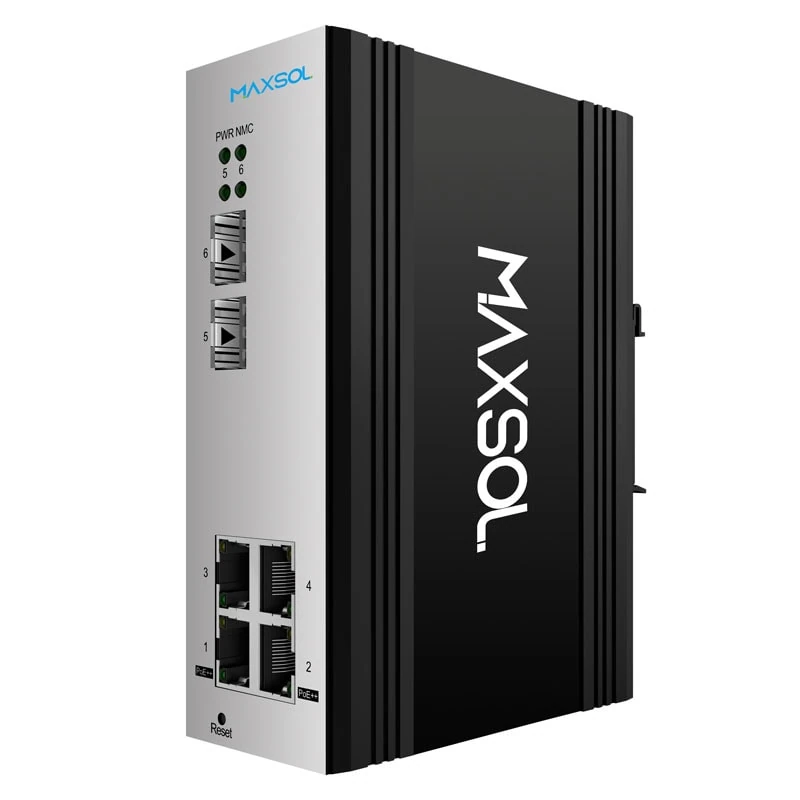
The PS2402SFG-I-BT four-port managed DIN-rail industrial PoE switch provides four Gigabit PoE ports and two SFP ports. Ports 1 and 2 have documented IEEE 802.3bt support up to 90W, while all four PoE ports support IEEE 802.3af/at.
This layout suits a small installation that has up to two higher-power endpoints, such as selected outdoor cameras or wireless devices, alongside lower-power cameras or access devices. It is also worth considering where cabinet space is limited and expansion needs are well defined.
Select an eight-port model when endpoint growth is likely
The PS2802SFG-I-BT eight-port managed DIN-rail industrial PoE switch has eight Gigabit PoE ports and two SFP ports. Ports 1 and 2 support IEEE 802.3bt up to 90W, while ports 1 through 8 support IEEE 802.3af/at.
An eight-port configuration can make sense for a guardhouse, perimeter CCTV section, warehouse zone, campus building wing, or outdoor network cabinet where several conventional PoE devices share a switch with one or two high-power devices. The two SFP ports should be assessed against the required fibre type, link speed, distance, and optical module plan.
Management should support the operational plan
A managed switch can be useful when installers or network teams need visibility and control over a project network. Before choosing a managed model, identify which functions are actually required, such as VLAN separation, uplink monitoring, loop controls, port monitoring, or traffic prioritisation.
Do not specify management solely because it sounds more advanced. For a small isolated group of cameras with no operational need for configuration or monitoring, a simpler design may be more appropriate. Conversely, a managed design can be worthwhile where CCTV, wireless, office, and access-control traffic need segmentation.
Consider hardened unmanaged deployment
Some projects prioritise rugged mounting, a straightforward topology, and clearly allocated high-power ports rather than extensive switch configuration. This is common in distributed outdoor cabinets, industrial areas, roadside enclosures, or dedicated surveillance segments.
The PS1802FE-HIB HiPoE hardened industrial PoE switch has eight Fast Ethernet PoE ports, one Gigabit uplink, and two SFP uplinks. Its IP40 DIN-rail construction is documented for industrial-style mounting. Ports 3 to 8 support IEEE 802.3af/at, while ports 1 and 2 support IEEE 802.3af/at/bt up to 90W.
This port arrangement requires deliberate patching: connect higher-power devices to ports 1 and 2, then use ports 3 to 8 for ordinary PoE or PoE+ loads. Since the downlink ports are Fast Ethernet, confirm that each endpoint’s bandwidth requirement is suitable. This may be adequate for many conventional cameras, but multi-sensor cameras, high-bitrate video, or demanding wireless traffic can require Gigabit downlinks.
For an unmanaged deployment, design clarity matters even more:
- Label every port by endpoint and PoE requirement.
- Document which two ports are reserved for 90W devices.
- Keep uplink capacity aligned with the combined traffic load.
- Use accessible power-disconnect and surge-protection arrangements where required by the site design.
- Test endpoint operation under peak power conditions before handover.
Pre-installation checklist
Use this checklist before ordering equipment or beginning field installation.
- List every powered device. Record model, PoE standard, normal draw, maximum draw, and any high-load functions.
- Identify true 802.3bt needs. Separate equipment requiring Type 3 or Type 4 from devices that only need PoE or PoE+.
- Map high-power ports. Confirm the exact port numbers with 90W capability and assign devices accordingly.
- Calculate total PoE demand. Add the maximum expected load of all endpoints, not just the average load.
- Check the switch’s total PoE budget. Per-port capability and total available PoE power are different limits.
- Confirm the input power source. Size the DC supply, battery system, or solar power system for switch load, endpoints, losses, and headroom.
- Specify proper cable. Use suitable solid copper cabling, check route length, and avoid CCA conductors.
- Test all four pairs. High-power 802.3bt relies on four-pair power delivery, so basic link status alone is not enough.
- Review data bandwidth. Check whether Fast Ethernet or Gigabit downlinks are appropriate for each camera or wireless endpoint.
- Plan the uplink. Verify copper or SFP uplink requirements, including fibre type and expected aggregate traffic.
- Assess the enclosure environment. Consider heat, moisture, dust, cable entry, grounding, lightning exposure, and available panel space.
- Test peak operation on site. Check cameras with IR, heaters, PTZ movement, or other power-intensive functions active.
Common mistakes to avoid
The most frequent error is treating a 90W-capable port as proof that the entire system can deliver 90W to every device. A successful specification needs both correct per-port allocation and sufficient total input power.
Other avoidable mistakes include installing high-power devices on the wrong ports, using low-quality cable, omitting peak-load calculations, and overlooking bandwidth on Fast Ethernet camera ports. Clear port labels and a simple load schedule prevent many commissioning delays.
FAQ
Does every device need PoE++ if the switch supports 802.3bt?
No. Standard PoE and PoE+ devices can be used on a mixed-power switch when standards negotiation is supported. Use 802.3bt only where the endpoint’s requirements justify it.
Can a 90W PoE++ switch deliver 90W to a device 100 metres away?
Not automatically. The available device power depends on the switch output, cable resistance, cable length, connectors, and the device’s PoE negotiation. Check the switch and endpoint documentation, then use suitable cable and test the completed link.
Is a 90W port the same as 90W available to the device?
Usually, the quoted port rating refers to power supplied by the power sourcing equipment. The powered device receives less because of cable loss. For IEEE 802.3bt Type 4, the maximum at the device is commonly lower than the maximum at the switch port.
Should I choose four or eight PoE ports?
Choose four ports when endpoint count, high-power allocation, and expansion needs are firmly limited. Choose eight ports when the site needs more conventional PoE devices, expects expansion, or benefits from keeping multiple endpoints on one local switch.
Compare the linked Maxsol models against your required port count, endpoint load, cable distance, input power source, environmental conditions, uplink needs, and management requirements before selecting a switch.