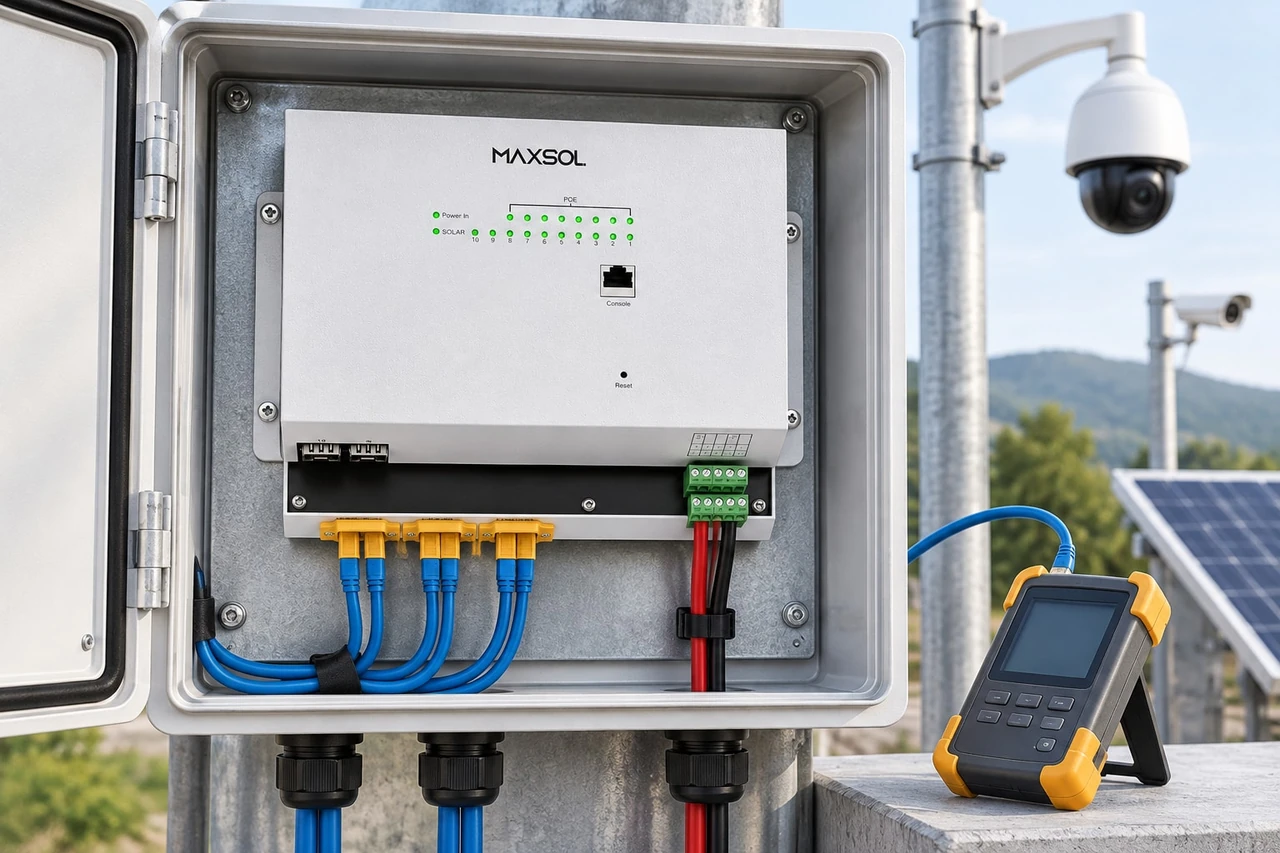
Outdoor PoE Power Checklist for CCTV Installers
Use this field checklist to size outdoor PoE power, cable loss, surge protection, enclosures, uplinks, monitoring and commissioning.
By Maxsol Team

A reliable outdoor PoE system starts with a complete power path, not simply a switch with enough ports. Before installation, identify every source, converter, protection device, cable run and load. Then verify the operating voltage, per-port demand, total PoE budget, voltage drop, enclosure conditions, grounding, uplink design and recovery behaviour.
This outdoor PoE power installer system integrator checklist is intended for CCTV, wireless and remote network projects in the Philippines. It covers both grid-fed integrated equipment and solar-oriented DC systems, while recognising that products from different design layers are not automatically compatible.
Map power sources, loads, converters and interfaces
Draw a one-line power and data diagram before choosing equipment. The diagram should follow energy and communications from their sources to every endpoint.
At minimum, record:
- Utility AC, solar PV, battery or other primary source
- Nominal and expected operating voltage range
- AC-to-DC and DC-to-DC conversion stages
- PoE power sourcing equipment
- Cameras, access points, radios and other powered devices
- Copper and fibre uplinks
- Surge protection and branch protection
- Grounding or bonding points
- Disconnects and service isolation
- Monitoring interfaces
- Enclosure boundaries and outdoor cable entries
This mapping exposes hidden assumptions. For example, a battery may be described as a “24V system”, but its actual voltage changes with state of charge, charging and load. A converter or switch must accept the full expected range—not only the nominal figure.
The same applies to polarity, connector type and PoE pinout. Matching voltage labels do not establish compatibility.
Separate source voltage from delivered PoE voltage
In a DC-powered design, the battery or PV-side voltage may differ from the voltage placed on the Ethernet cable. Document both sides of every converter:
- Minimum and maximum input voltage
- Output voltage and adjustment range
- Maximum continuous output under the intended conversion ratio
- Polarity and connector assignment
- Data pass-through speed
- Whether PoE negotiation is supported
- Behaviour during undervoltage, overload and restart
The Maxsol POE24V adjustable DC-to-PoE converter illustrates this conversion layer. Its documented input is 12–36V DC, with adjustable 12–57V PoE output, Gigabit Ethernet and an LCD voltage display. For 12V-to-48V conversion, the documented continuous load is at most 30W. The supplied facts do not establish IEEE PoE negotiation, so installers must verify the powered device’s voltage, pinout and protocol instead of treating the converter as universally compatible.
Compare grid-fed integrated and solar-oriented designs
These architectures solve different problems:
| Design consideration | Grid-fed integrated equipment | Solar-oriented DC equipment |
|---|---|---|
| Primary source | Utility AC or an upstream AC supply | Battery, PV charging system or regulated DC bus |
| Conversion | Often integrated in the enclosure or switch assembly | May involve charge control and one or more DC conversion stages |
| Backup | May include a UPS-related module, but battery arrangement and runtime still require confirmation | Battery is normally part of the power architecture and must be sized for autonomy and cycling |
| Main sizing concern | AC input, PoE demand, backup arrangement and enclosure loading | PV yield assumptions, battery voltage range, autonomy, conversion loss and low-voltage recovery |
| Typical failure question | What happens when AC fails and returns? | What happens as battery voltage falls, charging resumes or PV input varies? |
| Compatibility check | Input supply, PoE mode, uplink and internal module limits | PV and battery range, polarity, PoE output, load priority and controller behaviour |
For a grid-fed example, the Maxsol SBOX2802SFG-I managed industrial smart Ethernet box is documented with IP65 protection, eight Gigabit PoE ports, two Gigabit SFP slots, Layer 2 management, AC100–240V input and a built-in 240W DC55V UPS module. The presence of a UPS module does not by itself define battery type, capacity, charging arrangement or runtime; confirm those separately for the project.
For a solar-oriented example, the Maxsol IOT2802SFG-S managed solar industrial PoE switch documents eight Gigabit PoE ports, two SFP ports, a 120W PoE budget, 90W BT support, PV and battery monitoring, and PV and battery input at DC22–29.2V. Ports 3–4 can be configured for 24V or 48V PoE. This makes port-level configuration especially important: a voltage setting suitable for one device can damage another if it is applied without checking requirements.
These three products illustrate different design layers. They are not presented as a tested compatible system. Always verify current datasheets, voltage, polarity, pinout, protocol and protection before connecting equipment.
For a broader architecture overview, see the outdoor PoE switch box, power, fibre and battery guide.
Check per-port budget, total demand and voltage drop
Do not size a PoE system by port count alone. An eight-port switch may still be unsuitable if individual devices exceed a port limit or if their combined demand exceeds the total budget.
Create a load schedule containing:
| Load | Quantity | Normal demand | Maximum demand | Startup or peak condition | Cable length | Assigned port |
|---|---|---|---|---|---|---|
| Fixed camera | IR or heater activation | |||||
| PTZ camera | Pan, tilt, zoom or heater operation | |||||
| Wireless access point | High radio activity or restart | |||||
| Point-to-point radio | Startup and maximum transmit demand | |||||
| Other device | Project-specific |
Use the powered device’s maximum documented input requirement, not an observed idle reading. CCTV loads can rise when infrared LEDs, heaters, wipers or motors operate. Wireless equipment may also have short startup or high-activity peaks.
Check three separate limits:
- Per-port limit: Can the assigned port support the device’s required voltage, protocol and maximum power?
- Total PoE budget: Can the switch power all expected simultaneous loads?
- Source and conversion limit: Can the upstream AC supply, battery, converter and wiring carry the complete demand with reasonable design margin?
A high-power port rating does not increase the total switch budget. For example, documented support for a 90W BT load must still be evaluated within the switch’s total PoE budget and the requirements of every other active port.
Calculate the complete energy path
For solar and battery-backed sites, include more than PoE output:
- Switch self-consumption
- Powered-device demand
- Conversion losses
- Charge controller consumption
- Monitoring and communications equipment
- Battery protection equipment
- Night-time operating hours
- Required autonomy during poor solar conditions
- Battery capacity limits and permissible discharge assumptions
Do not use a generic “camera watts × hours” calculation as the final design. Input voltage range, conversion efficiency, temperature and cable loss all affect the source-side current.
For additional planning considerations, consult the 12V vs 24V vs 48V solar power guide for surveillance. A higher system voltage can reduce current for the same power, but it does not automatically make a device compatible or eliminate the need for correct conversion.
Account for copper-cable loss
Voltage drop depends on current, conductor resistance, cable length, connection quality and how power is delivered over the cable. Outdoor heat can also increase conductor resistance.
For each copper run:
- Record the actual route length, not the straight-line distance
- Confirm cable conductor material and size
- Include patch leads, couplers and surge protectors
- Check voltage at the powered device under maximum expected load
- Inspect terminations for heating or unstable contact
- Avoid assuming that a successful idle boot proves adequate power
Long runs are often most troublesome during peak load. A camera may start in daylight but reset after dark when infrared lighting activates. A radio may appear stable until traffic and transmit demand increase.
Where fibre is used for the uplink, it can remove the data copper path between locations, but local equipment still requires correctly designed power, grounding and surge protection.
Specify enclosure, thermal, moisture and surge controls
An outdoor rating is only one part of enclosure selection. The installed assembly must handle the actual environment, including cable penetrations, internal heat, condensation, dust, insects, rain direction and maintenance access.
In the Philippines, outdoor installations may face high humidity, strong rain, intense solar heating and lightning exposure. Coastal or industrial locations can add corrosion risks. Specify for the site rather than relying on a generic “outdoor” label.
Enclosure checklist
Confirm:
- Environmental protection rating of the complete enclosure
- Whether the rating still applies after cable entries are installed
- UV resistance of exposed enclosure and cable materials
- Corrosion suitability for the site
- Cable gland size and sealing method
- Drip loops and downward-facing entries where practical
- Separation between power, battery and data wiring
- Internal clearances and bend radius
- Heat generated by switches, converters and power supplies
- Solar loading on the cabinet
- Condensation management
- Drainage or breathable venting strategy, where appropriate
- Secure mounting and service access
- Space for labels, fuses, protectors and spare cable length
Avoid sealing a wet or humid enclosure and assuming it will remain dry. Moist air trapped during installation can condense when the cabinet cools. Likewise, an enclosure that is watertight before drilling may no longer meet its intended protection level after poorly sealed modifications.
Coordinate surge protection and grounding
Surge protection is not a single device added at the end of a project. Treat it as a coordinated path for power, data and grounding.
Review:
- AC-side protection
- DC source and battery-side protection
- PV input protection where applicable
- Ethernet surge protection for exposed copper runs
- Protection at both ends of cables crossing between structures
- Ground conductor route and connection quality
- Bonding between metallic enclosure parts
- Separation between surge discharge paths and sensitive data wiring
- Replaceability and inspection access
Follow applicable local electrical requirements and the instructions of the equipment and protection-device manufacturers. Do not invent conductor sizes, protective ratings or grounding arrangements from a generic checklist; these depend on the installation and must be specified by a qualified project professional.
Add branch protection, not only a main disconnect
Separate branches make faults easier to isolate. Consider individual protection or service isolation for:
- Each DC converter
- Groups of PoE loads
- Battery connections
- PV input
- Auxiliary equipment
- Cabinet ventilation or monitoring equipment
The protective device must suit the circuit voltage, expected current and fault characteristics. An AC-rated component should not be assumed suitable for a DC circuit.
Plan uplinks, monitoring and service isolation
Power design and network design must be commissioned together. A powered camera without a dependable uplink is not a functioning surveillance endpoint.
Select the uplink by distance and exposure
For each uplink, document:
- Copper or fibre medium
- Required data rate
- SFP and fibre compatibility
- Fibre type and strand count
- Connector type
- Link distance
- Redundancy requirement
- VLAN and addressing plan
- Management access
- Surge exposure if copper is used
- Spare capacity for expansion
Two devices having SFP slots does not guarantee that every SFP module will work. Confirm supported module type, wavelength, fibre type, connector and link requirements against current documentation.
Fibre is particularly useful for electrically exposed links or connections between structures because the data path is non-conductive. However, fibre does not protect the local AC, DC, PV or Ethernet branches attached to equipment at either end.
Decide what must be monitored
Useful monitoring may include:
- Port link state
- PoE port status
- Per-port or total power information, if supported
- Device reachability
- Uplink status
- Battery voltage
- PV input
- Cabinet temperature
- Door or tamper state
- Low-voltage or power-failure alarms
- Restart and fault history
Do not assume every switch or power device exposes all these values. List required monitoring points in the specification and verify how each value is read, logged and transmitted.
Layer 2 management can support operational tasks such as VLAN configuration and port control, but the available functions must be checked for the selected model and firmware.
Make maintenance possible without shutting down the whole site
Service isolation should allow a technician to work safely and identify faults without disconnecting unrelated loads.
Provide clear means to isolate:
- Main incoming power
- Battery supply
- PV input
- Individual converters
- PoE load branches
- Auxiliary devices
- Uplink equipment where necessary
Label both ends of every cable. Labels should identify the source, destination, port, voltage and circuit reference. Avoid ambiguous names such as “camera 1” if field teams need to match the label to a pole, direction, zone or drawing.
Bench-test startup, faults and recovery
Bench testing should reproduce realistic operating states before equipment is installed on a pole, rooftop or remote site. Test the full chain where practical: source, converter, switch, protection devices, representative cable and powered load.
Run a controlled startup test
Verify the following sequence:
- Inspect polarity, connectors, pinout and protective-device ratings.
- Set adjustable outputs before connecting powered devices.
- Measure source and PoE-side voltage without load.
- Connect one known load to its assigned port.
- Confirm link speed, network access and stable power.
- Add the remaining loads in planned order.
- Activate maximum expected load conditions where safely possible.
- Record voltage, current, alarms and port behaviour.
- Allow the assembly to operate long enough to reveal heating or intermittent faults.
- Repeat checks using the final configuration.
An LCD voltage indication can help with setup, but it should not replace suitable commissioning instruments or a measurement at the load end of a long cable.
Test credible fault conditions
A commissioning test should answer what happens when something goes wrong. Depending on the architecture, test:
- Loss and restoration of utility AC
- Battery-only operation
- Low source voltage
- PV input interruption
- Removal and reconnection of one PoE load
- A port overload using an appropriate controlled method
- Uplink disconnection and reconnection
- Device restart
- Switch restart
- Converter restart
- Simultaneous startup of multiple loads
- Recovery after protection operates
Never create an uncontrolled short circuit as a test. Use approved test procedures and suitable load equipment.
Observe recovery, not just shutdown
A system that protects itself but never returns to service without a site visit may not meet the project’s operational needs.
Confirm:
- Whether ports restart automatically
- Whether loads start simultaneously or in sequence
- Whether settings remain after power loss
- Whether the uplink reconnects
- Whether monitoring resumes
- Whether alarms clear or remain latched
- Whether adjustable voltage settings are retained
- Whether repeated restart cycling occurs at low battery voltage
Low-voltage cycling is particularly important at solar sites. If the source repeatedly rises just enough to start equipment and then collapses under load, cameras and radios may enter an endless reboot loop. The recovery thresholds and load-start sequence should be assessed as a complete system.
Record commissioning evidence for handover
A proper handover gives the owner or maintenance team enough information to understand, isolate and restore the installation.
Include:
- Approved one-line power and data diagram
- Equipment schedule and model references
- Current datasheets used for design
- Source and operating voltage ranges
- Converter input and output settings
- PoE port assignment
- Maximum load schedule
- Total budget calculation
- Cable type and measured route length
- Fibre and SFP schedule
- Protective-device schedule
- Grounding and bonding record
- Enclosure and cable-entry photographs
- Configuration backup
- IP address and VLAN schedule
- Monitoring and alarm configuration
- Measured commissioning values
- Startup and recovery test results
- Labels and circuit references
- Isolation procedure
- Known limitations and reserved capacity
- Maintenance and inspection requirements
Photographs should show enough context to identify the cabinet, cable entries, internal layout, labels, grounding connections and final closed condition. Avoid recording passwords in general drawings or unsecured handover files; use the project’s approved credential-management process.
Final site acceptance checklist
Before sign-off, confirm that:
- Every load is assigned to the correct port
- Required voltage and PoE mode are verified
- Combined demand remains within the intended budget
- Cable-end voltage is acceptable at maximum expected load
- Uplinks remain stable
- Protection and grounding match the approved design
- Cable entries are sealed
- No conductors or connectors show abnormal heating
- Monitoring is visible to the intended operator
- Power-loss recovery has been demonstrated
- Documentation matches the installed system
- Spare ports are not mistaken for spare power capacity
- Future technicians can isolate branches safely
No single outdoor PoE product removes the need for system-level engineering. The next practical step is to compare the linked Maxsol models against the project’s port count, load profile, cable distance, source voltage, enclosure environment, uplink, monitoring and management requirements—and verify every interface against current documentation before installation.