Reduce Remote CCTV Installation Costs: Practical Guide
Compare grid power, solar-powered PoE, wireless backhaul and lifecycle costs to reduce remote CCTV installation costs without cutting reliability.
By Maxsol Team

To reduce remote CCTV installation costs, optimise the whole site rather than buying the cheapest cameras. The largest savings often come from avoiding unnecessary trenching, grid extension and repeat site visits—but only when solar power, wireless backhaul or existing infrastructure can meet the project’s actual reliability requirements.
Start with a like-for-like scope covering power, data transport, structures, labour, commissioning and maintenance. Then compare grid-fed PoE, off-grid solar and mixed architectures over the intended service period. Remember that PoE distributes power from a source; it is not an energy source by itself.
Establish a like-for-like scope and cost baseline
A fair comparison must provide the same camera coverage, recording objective, operating schedule and expected availability. Comparing a fully engineered grid-fed installation with an undersized solar alternative will produce a misleading result.
Define these requirements before requesting prices:
- Number, location and maximum power draw of cameras
- Night-time loads, including infrared illumination where applicable
- Recording location and required application throughput
- Distance from each camera to the nearest power and network point
- Existing poles, ducts, fibre, copper and utility connections
- Line of sight between potential wireless locations
- Required hours of operation and acceptable downtime
- Environmental exposure, including shade, heavy rain, wind and salt air where applicable
- Surge protection, earthing and enclosure requirements
- Remote monitoring and management requirements
- Expected maintenance access and replacement intervals
Document both continuous and peak loads. A camera may consume more power at night or while operating heaters, illuminators or other accessories. Switches, wireless radios, converters and controllers must also be included.
Use one lifecycle cost worksheet
Enter current supplier and contractor quotations in PHP rather than relying on generic industry percentages. The following worksheet keeps each design option comparable.
| Cost category | Items to include | Cost timing |
|---|---|---|
| Site preparation | Survey, clearing, access arrangements and route marking | Initial |
| Trenching and reinstatement | Excavation, ducts, warning tape, chambers and surface restoration | Initial |
| Grid extension | Utility application, service extension, meter equipment and connection work where required | Initial and recurring |
| Poles and structures | Poles, brackets, foundations, cabinets and structural work | Initial and replacement |
| Power hardware | Distribution boards, breakers, PoE switches or injectors, solar panels, controllers and batteries | Initial and replacement |
| Backhaul | Copper, fibre, wireless radios, optics, media conversion and termination | Initial and replacement |
| Labour | Installation, lifting equipment, cable pulling, alignment and configuration | Initial and recurring |
| Commissioning | Testing, documentation, user acceptance and corrective work | Initial |
| Operating costs | Grid electricity, connectivity, software licences and subscriptions | Monthly or annual |
| Maintenance | Cleaning, inspection, vegetation control, fault response and travel | Annual or event-based |
| Replacements | Batteries, surge devices, damaged cabling, radios and other finite-life components | Based on planning assumptions |
Calculate lifecycle cost over the same evaluation period for every option:
Lifecycle cost = initial installation + operating costs + planned maintenance + expected replacements
Use sensitivity checks for uncertain items. For example, calculate how the result changes if trenching is more difficult than expected, vegetation requires more frequent clearing, or battery replacement occurs earlier than the planning assumption. Do not hide these uncertainties inside a single total.
Compare grid extension and solar power
Grid-fed PoE is usually simplest when a suitable legal power connection already exists near the cameras. Off-grid solar becomes worth evaluating when extending the grid requires long cable routes, new service infrastructure or significant civil work.
Neither option is automatically cheaper. Solar removes some grid-related work but adds panels, batteries, charge control, mounting, environmental design and periodic battery replacement.
Like-for-like power decision matrix
| Factor | Grid-fed PoE | Off-grid solar with PoE distribution | Mixed site architecture |
|---|---|---|---|
| Energy source | Utility grid | Solar panel and battery | Grid at selected nodes; solar at suitable remote nodes |
| Camera power distribution | PoE switch or injector | Separate PoE switch, injector or compatible conversion hardware | PoE distribution at each powered node |
| Best fit | Existing nearby power and accessible cable routes | No practical grid connection, suitable solar exposure and manageable load | Large sites with different conditions at each camera location |
| Main initial costs | Connection work, trenching, cable, protection and PoE equipment | Panel, battery, controller, mounting, enclosure and PoE equipment | Combination of grid, solar and backhaul costs |
| Main recurring costs | Electricity, inspections and utility-related charges | Cleaning, inspection and planned battery replacement | Costs vary by node type |
| Key risk | Expensive extension or cable damage along long routes | Shading, poor sizing, charging limits and battery temperature | More design and maintenance complexity |
| Important verification | Available supply, voltage drop, protection and route approval | Full load, usable energy, solar input, charging conditions and seasonal exposure | Interfaces, spares, documentation and maintenance capability |
A mixed architecture does not require every pole to use the same power method. A practical design may keep the recorder and network core on grid power while using solar-powered remote nodes where extending mains power is uneconomical. This node-by-node approach can avoid forcing one solution onto the entire site.
Size solar from the load, not from the camera count
Solar design begins with an energy budget:
- List each device and its worst-case wattage.
- Multiply each load by its daily operating hours.
- Add conversion, cable and controller losses using justified design assumptions.
- Determine the required autonomy based on the site’s acceptable downtime.
- Size the battery using usable—not merely nominal—energy.
- Size the solar array using site-specific solar exposure, shading and seasonal conditions.
- Confirm controller input limits and battery charging temperature requirements.
Hypothetical design example: Assume a remote node has a continuous 25W load. Its basic daily energy requirement is 25W × 24 hours, or 600Wh per day, before conversion losses, reserve capacity and charging conditions are considered. This is a calculation example only, not measured product performance or a recommended system size.
The Maxsol CS12060 solar power system is one selection example documenting a 120W monocrystalline panel, a 12.8V 60Ah 768Wh LiFePO4 battery, an MPPT controller and three DC12V outputs. RS485 is optional. Those values do not establish usable delivered energy, autonomy, service life or guaranteed 24/7 operation.
The CS12060’s DC outputs also do not by themselves mean that a CCTV camera receives PoE. The design may still require suitable PoE power hardware, voltage conversion and network equipment. Verify the current datasheet and supplied configuration, including controller PV voltage, current and power limits, charging temperatures and protection.
When grid power may still cost less
Do not reject a grid-fed design simply because the camera is remote. It can remain the lowest-cost option when:
- A suitable power source already exists at a nearby building or cabinet
- Existing approved ducts or poles can be reused
- The route is accessible and easy to maintain
- The continuous load would require a large solar and battery system
- Shading, vegetation or mounting constraints reduce solar feasibility
- Maintenance staff can support grid equipment more easily than distributed batteries
Conversely, a short grid distance can still become expensive if the route crosses concrete, drainage, private property or an area requiring substantial reinstatement. A physical route survey is therefore more useful than straight-line distance alone.
Evaluate wireless backhaul against new cabling
Wireless backhaul can reduce civil work when cameras have clear or achievable line of sight to a network point. It should be compared against the full cost of new copper or fibre—not just cable price.
| Consideration | New copper or fibre | Wireless backhaul |
|---|---|---|
| Civil work | May require trenching, ducts or aerial structures | Usually requires mounting and alignment rather than a continuous cable route |
| Path dependency | Depends on an accessible physical route | Depends on line of sight, clearance and radio conditions |
| Power requirement | Active equipment may be concentrated or installed along the route | Each remote radio requires power |
| Interference | Fibre is not affected by radio interference; copper requires electrical protection | Performance depends on interference and channel conditions |
| Capacity planning | Determined by cable, optics and active equipment | Must account for practical link capacity, not headline wireless rate |
| Maintenance | Cable faults can require route tracing and excavation | Alignment, mounting and radio conditions require inspection |
| Expansion | May require spare fibres, pairs or switch ports | Requires capacity, spectrum and path review |
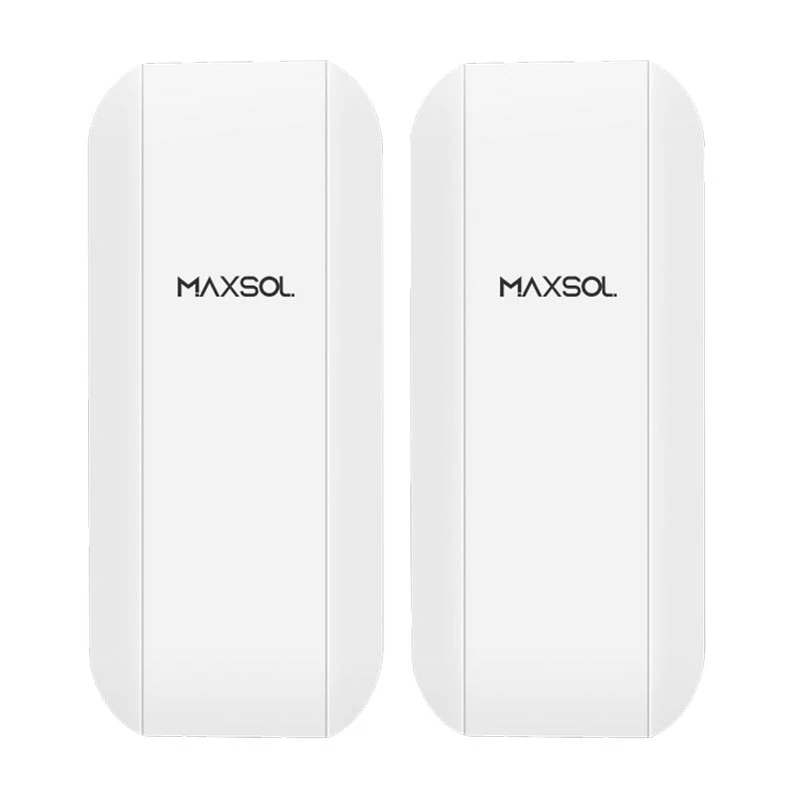
The Maxsol CPE295 directional wireless CPE documents 5.8GHz operation, a 2×2 14dBi directional MIMO antenna, one Gigabit LAN port, IEEE 802.3af/at or 9–48V DC power support, and 6.5W full-load consumption. Product range and wireless rate labels do not guarantee usable distance or application throughput.
Before selecting any wireless bridge, verify:
- Clear line of sight and suitable path clearance
- Interference at both ends of the proposed link
- Mounting height and structural stability
- Aggregate camera bitrate, overhead and growth allowance
- Channel planning for multiple links
- Local radio rules
- Surge protection and earthing
- Available power at both radio locations
- Failover requirements for critical surveillance
Reuse infrastructure only after testing it
Reusing poles, ducts or cables can reduce installation cost, but “already installed” does not mean “fit for service”. Inspect ownership, route condition, conductor condition, spare capacity, termination quality, environmental protection and accessibility.
For copper-based camera runs, review the available methods and limitations in this guide to extending PoE for IP cameras over long distances. Long-reach methods can be useful, but the selected equipment must support the required data rate and power at the actual distance.
Where electrical isolation, high bandwidth or long physical routes favour fibre, use the SFP uplink planning guide for CCTV fibre networks to check fibre type, optics, connectors, link budget and switch compatibility. Fibre can avoid some copper limitations, but it still needs power at remote active equipment unless a passive camera connection is used with power provided separately.
Reduce repeat visits through surveys and bench checks
A saved cable run can be outweighed by multiple return trips. Remote locations make incomplete surveys, missing accessories and configuration errors especially costly.
Complete a site survey before final pricing
Record the following for every proposed node:
- GPS or site-plan position and camera view
- Cable route length rather than straight-line distance
- Pole condition, mounting space and access method
- Grid supply location and measured electrical conditions
- Solar orientation, shading and vegetation risks
- Wireless path photographs from both ends
- Cabinet size, ventilation and environmental exposure
- Earthing and surge-protection arrangement
- Mobile or fixed connectivity where remote access is required
- Access restrictions, work hours and equipment needed
For wireless proposals, perform an on-site radio assessment instead of relying only on map-based planning. Trees, roofs, terrain and future construction can affect the path.
For solar proposals, document shading across relevant times and seasons. Do not use a national or regional solar estimate as a substitute for site-specific design data.
Bench-stage the system
Assemble and configure the equipment before deployment where practical. A useful bench process includes:
- Load the approved firmware and save configuration backups.
- Assign and document IP addresses.
- Confirm switch port settings and PoE requirements.
- Connect each camera and verify its worst-case operating mode.
- Test wireless radios with the intended network configuration.
- Check recording, time synchronisation and remote access.
- Label cables, ports, power leads and mounting kits.
- Pack installation-specific tools, glands, connectors and spares.
- Prepare a commissioning checklist for the site team.
A short load test cannot prove long-term solar autonomy or service life, but it can identify configuration errors, incompatible power arrangements and missing components before travel.
Commissioning should capture received signal information, voltage readings, camera streams, recorded footage, network paths and final equipment settings. These records reduce diagnosis time during later maintenance.
Include maintenance, replacements and operating costs
The lowest initial quotation is not necessarily the lowest lifecycle cost. Remote CCTV systems may carry travel, connectivity and replacement costs that are easy to overlook during procurement.
Include these recurring items where applicable:
- Grid electricity and fixed utility charges
- SIM, internet or managed connectivity subscriptions
- Cloud, software or device-management licences
- Solar panel and enclosure cleaning
- Vegetation control around panels and wireless paths
- Battery inspection and planned replacement
- Pole, bracket, seal and cable inspections
- Surge-protection replacement after relevant events
- Wireless realignment or interference troubleshooting
- Firmware and configuration management
- Emergency travel, lifting equipment and technician time
- Replacement cameras, switches, radios, optics and power components
Battery planning should not be based only on nominal watt-hours. Delivered energy depends on operating conditions, conversion losses, allowed discharge, temperature, charging availability and system protection. Obtain the current battery and controller limits rather than assuming a universal cycle life or replacement date.
Remote management can reduce diagnostic visits when the selected equipment provides the required visibility and control. Confirm which devices report power status, link state, load, battery condition and alarms. Do not assign a savings value until the management features and operational process have been verified.
Choose the lowest viable lifecycle cost
The right design is the least expensive option that passes all technical and operational requirements—not simply the option with the lowest equipment total.
Use this sequence:
- Reject non-viable options. Eliminate designs that cannot meet coverage, power, throughput, environmental or availability requirements.
- Price the same scope. Include civil works, poles, power, backhaul, labour, commissioning and documentation.
- Add recurring costs. Include energy, subscriptions, inspections, travel and cleaning.
- Add planned replacements. Use documented assumptions for batteries and other finite-life parts.
- Test uncertain costs. Vary trenching difficulty, maintenance frequency, connectivity charges and replacement timing.
- Review operational simplicity. Count equipment types, required spares and technician skills.
- Select by node if needed. Grid, solar, fibre and wireless can coexist where each is technically justified.
In practical terms:
- Choose grid-fed PoE when suitable power and an economical route already exist.
- Consider off-grid solar when grid extension is disproportionately difficult and the load can be supported under site-specific solar conditions.
- Consider wireless backhaul when cabling requires major civil work and the radio path is viable.
- Reuse infrastructure only after confirming condition, capacity and ownership.
- Use a mixed architecture when different parts of the site have genuinely different constraints.
Common mistakes include treating PoE as the energy source, selecting solar equipment from panel wattage alone, accepting wireless distance labels as guarantees, omitting battery replacement, and pricing from map distance without surveying the actual route.
As a next step, compare the linked Maxsol CS12060 and CPE295 selection examples—alongside the required cameras, PoE switch or injectors and network equipment—against your port count, total load, distance, power source, environment and management requirements. They are not presented as a tested compatible bundle, so verify current datasheets, supplied configurations and all system interfaces before specifying the final design.